<img src="https://secure.leadforensics.com/51974.png" style="display:none;">

Experience the power of our Dynamics 365 Business Central integration

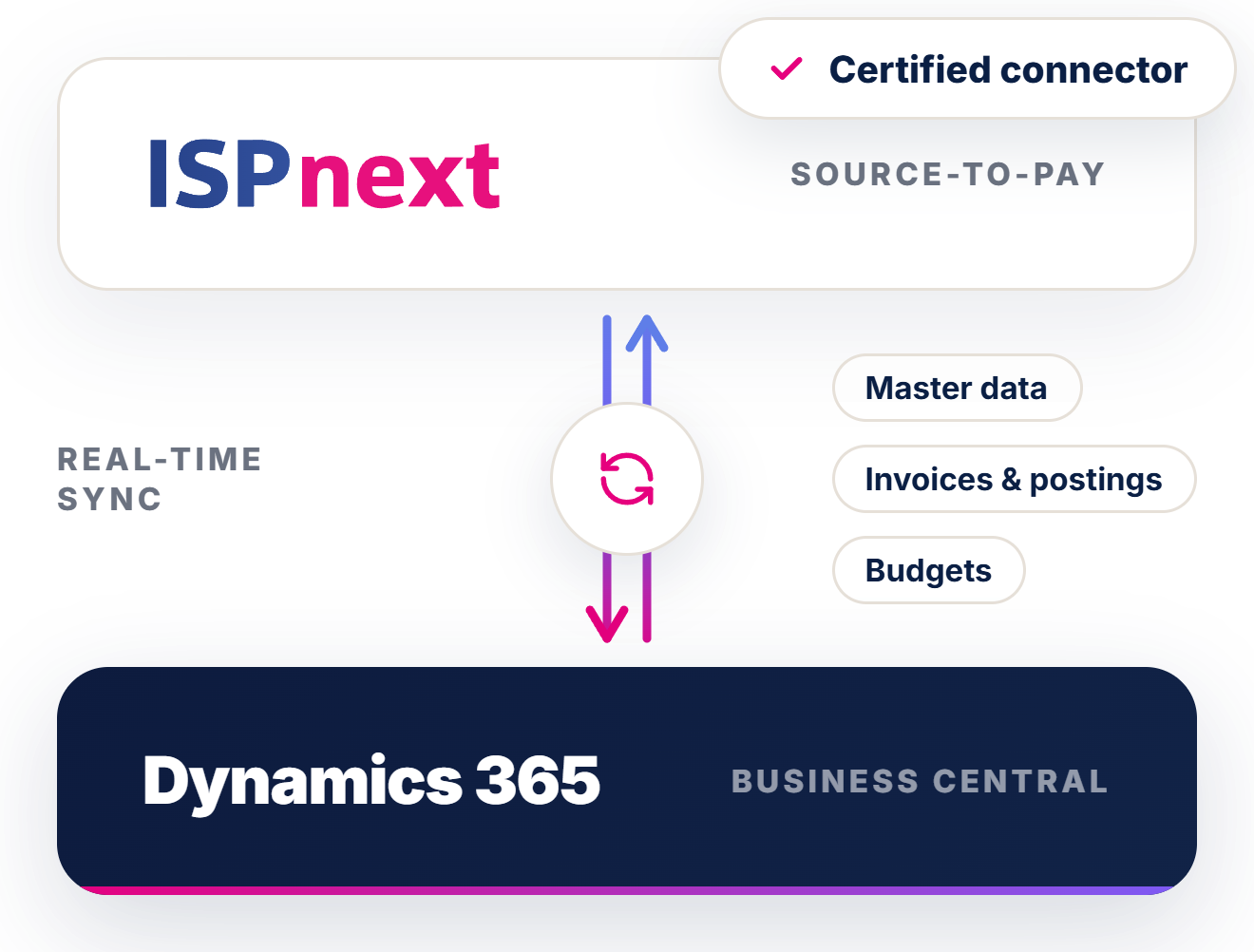
Automate invoice processing, strengthen financial control, and keep your ERP data synchronised in real time. ISPnext integrates seamlessly with Microsoft Dynamics 365 Business Central, supporting both cloud and on‑premise deployments. While Business Central remains the primary system for master data and financial postings, ISPnext extends the Source‑to‑Pay chain with automation, accuracy and real‑time visibility. Supplier data, purchase orders, goods receipts, invoices and postings are synchronised automatically. This reduces manual effort, prevents errors and gives finance teams immediate insight into liabilities, approvals and cash flow—without compromising governance, auditability or ERP ownership.
 
Dynamics-365-Logo-2016

Benefits of the Dynamics 365 Business Central integration

Our Dynamics 365 Business Central integration brings finance and procurement into one unified process. Your administration stays accurate, exceptions are flagged early, and invoice throughput increases significantly.

Icon_Business services_2x

Low IT effort, faster deployment

Standard Business Central APIs minimise complexity, reduce reliance on IT resources, and ensure fast timetovalue.

Pictogram_Realtime-inzichten_paars

Real‑time insight into invoices and liabilities

Invoices, orders, receipts, and master data are synchronised automatically, so finance teams always work with uptodate information.

Icon_ ERP automatic_2x

Seamless synchronisation to keep ERP data up to date

Endtoend automation ensures Business Central remains the single source of truth for master data and postings; without inconsistencies.

Go live in 5 steps: Business Central integration

1. Scope & process design

2. Data mapping

3. Connectivity & security

4. Testing

5. Go‑live + monitoring

Stockphoto_Aaron

1. Scope & process design (Source‑to‑Pay / AP)


The first step defines the functional scope of the Business Central integration. This includes invoice processing, PO‑driven and non‑PO scenarios, approval workflows and compliance requirements. By aligning finance and procurement early, a governed Source‑to‑Pay process is established.

Clear scope definition prevents fragmented workflows and ensures predictable automation across Dynamics 365 Business Central.

 
Header_DORA

2. Data mapping (master data, invoices, orders, receipts, postings)

All relevant data elements are mapped to Business Central structures, including suppliers, chart of accounts, VAT codes, payment terms, purchase orders, goods receipts and financial postings.

Accurate data mapping ensures consistency across systems. Business Central remains the single source of truth, while ISPnext uses the same data to automate workflows and controls.

 
Header_DICO

3. Connectivity & security (roles, permissions, audit trail)

The integration is configured using standard Business Central APIs. Roles, permissions and authorisations are defined, and a complete audit trail is enabled.

This guarantees controlled access and full traceability of actions, supporting compliance and audit requirements without adding complexity to the ERP environment.


Stockphoto_Didi

4. Testing (matching, reversals, exception handling)

Before go‑live, all key scenarios are tested, including invoice recognition, 2‑way and 3‑way matching, reversals, corrections and exception handling.

Thorough testing ensures reliability and trust in automation, allowing finance teams to focus on true exceptions rather than manual processing.

AP AutomatiseringStap 5

5. Go‑live + monitoring (alerts, performance, support)

After go‑live, synchronisation, performance and alerts are continuously monitored. Exceptions and processing results are tracked to ensure ongoing stability.

Continuous monitoring ensures a scalable, low‑risk Business Central integration that maintains control, data quality and visibility as volumes increase.

Dataflow ISPnext en D365 Business Central

A smart Microsoft D365 Business Central integration

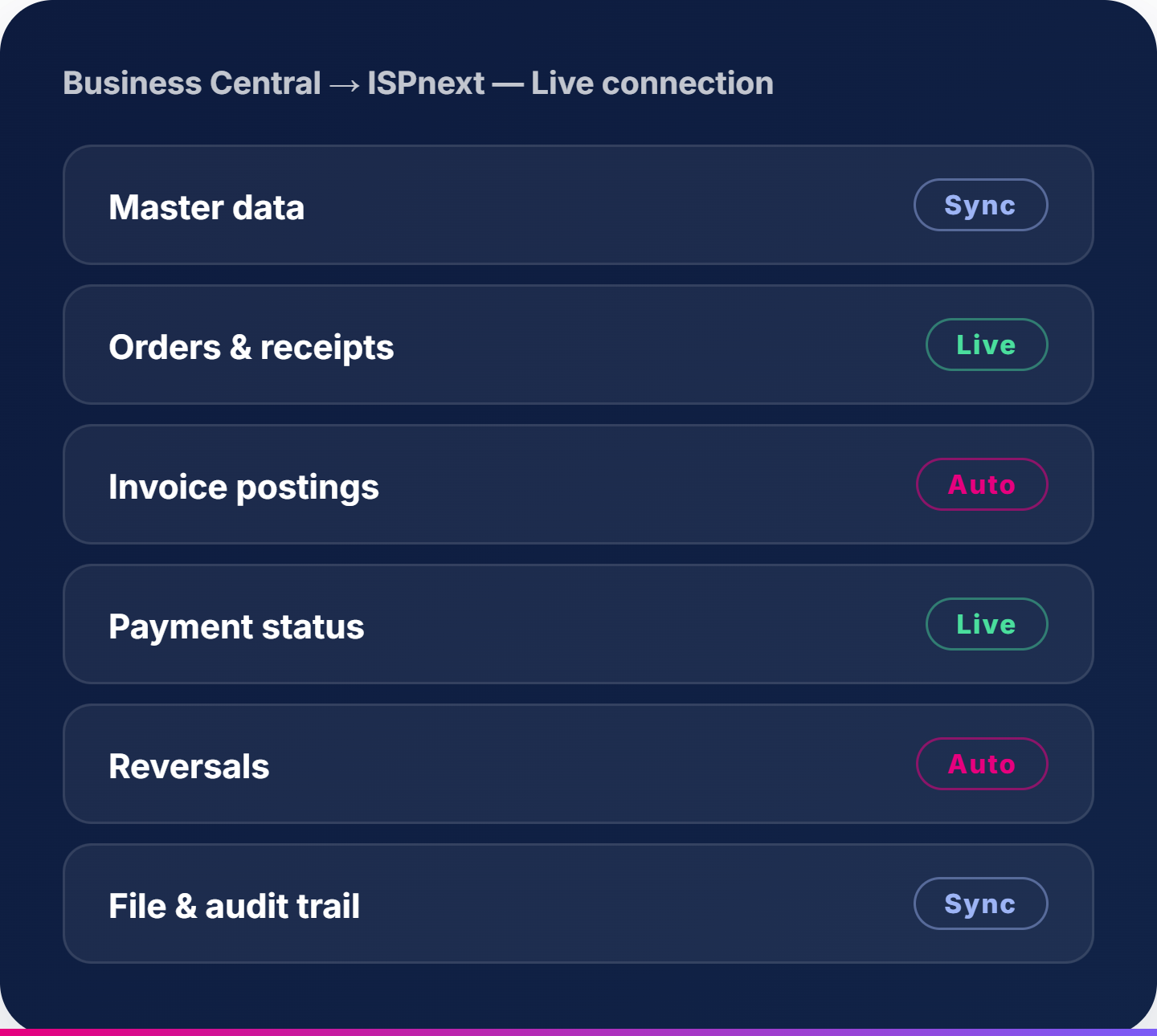
The integration between ISPnext and Microsoft D365 Business Central ensures that Business Central remains the Single Source of Truth, while ISPnext manages the workflow, matching and automation.

The integration supports, among other things:

  • Real-time invoice processing
  • Automated invoice recognition and validation
  • 2-way and 3-way matching between PO, receipt and invoice
  • Real-time synchronisation of master data and transactions
  • Full support for reversals and corrections
  • Feedback of payment date and payment status to Business Central
  • Complete audit trail, archiving and dossier creation
  • Click-through functionality from Business Central to ISPnext
  • Improved data quality, process control and risk management

Who benefits most from a Business Central ERP integration?

Icon_Financial services_2x

Finance/AP teams with high invoice volumes

Ideal for organisations looking to automate invoice processing, reduce manual entry, and improve accuracy.

Icon_Inzicht uitgaven

Procurement teams needing PO/GRN matching

Perfect for businesses working with 2way or 3way matching and requiring automated exception handling.

Icon_Hogere compliance

Organisations with compliance and audit requirements

For teams that require robust archiving, VAT validation, audit trails, and consistent document management.

Customers using the Business Central integration

Over 450 organisations work with ISPnext. From retail and logistics to food and business services.

Icon_AP automation_2x

AP Automation aligned with Microsoft Dynamics

Download the whitepaper and discover how to transform your AP process in Dynamics 365 today.

Mockup_Preview_Whitepaper_AP & MD365 (ENG)

Frequently asked questions

Is Dynamics 365 Business Central cloud or on‑premise better for integrations?

Both are supported. Cloud offers modern APIbased connectivity, while onpremise uses local service endpoints.

What data does the integration synchronise?

Master data (suppliers, chart of accounts, VAT codes), purchase orders, receipts, invoices, postings, and payment statuses.

Is the integration real‑time and how are exceptions handled?

Yes. Exceptions such as reversals, mismatches, and errors trigger automated workflows and alerts.

Does the integration support 2‑way and 3‑way matching?

Yes. ISPnext automates PO/invoice/receipt matching with full exception routing.

Can we archive invoices and open them directly from Business Central?

Yes. Invoices are archived in ISPnext and can be accessed directly through document links.

How does payment handling work?

Payment dates, earlypayment discounts, and payment status updates are synchronised back to ISPnext.

Are reversals supported?

Yes. Reversals and corrections follow the same automated flow as standard invoice processing.

Does the integration support GRN‑based validation?

Yes. Receipt-based validation is included in 3way matching.

Is the integration suitable for multi‑entity organisations?

Absolutely, Business Central multicompany setups are fully supported.

How long does implementation take?

The standard 5step approach ensures a fast, predictable implementation with minimal IT involvement.