
Budget Management: see every commitment before it becomes a cost
ISPnext Budget Management gives you real-time insight into budgets before you approve any spend. You avoid surprises, stay in control of budgets and encourage shared ownership within teams.

Reporting after the fact costs you control of your budgets
When organizations only report after the fact, staying in control of budgets is hard. You run the risk of surprises, overruns and a lack of cost awareness.
See how ISPnext solves this ›Time-consuming manual work
Checking budget status by hand and spotting overruns after the fact takes far more time than it should.
No overview before approval
Without real-time insight, you only discover after approval that spend falls outside budget.
Missed cost control
Without an automatic block, budget overruns are not always intercepted in time.
Disconnected systems and spreadsheets
Budget monitoring separate from the request process gives an incomplete picture that is hard to verify.
Who is Budget Management for?
Budget Management is built for finance teams, budget holders and procurement departments that want control over purchasing budgets.
Finance Manager
Safeguards financial governance, improves forecast reliability and minimizes the risk of unauthorized spend.
Procurement Manager
Gains control of commitments, builds budget checks into the request process and prevents overruns before they happen.
IT Manager
Works with a scalable, secure solution that fits seamlessly into the ERP landscape.
How Budget Management works in 5 steps
Curious how Budget Management works in practice? It runs entirely within your existing workflows, so checks happen automatically without extra manual steps.
Start a request with insight
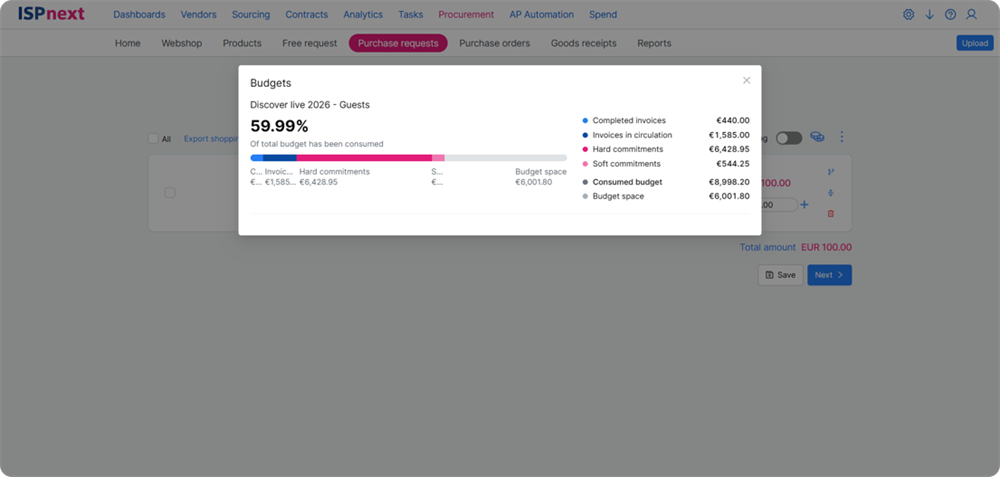
A user completes a request in Procurement, after which the system automatically shows a progress bar with budget versus actual.
- Automatic progress bar per request
- Budget versus actual calculated in real time
- Spend linked straight to the right budget
Budget check during the process
The system compares costs with the available budget, so decisions are better founded before a request is submitted.
- Costs compared with the available budget
- Visual warning when the budget is exceeded
- Impact visible before submitting
Automatic escalation on overrun
An overrun automatically triggers an approval route, in which the budget holder receives a notification and finance can apply an extra check.
- Automatic approval route on overrun
- Notification to the responsible budget holder
- Processing pauses until confirmation
Approval within your existing workflow
Escalations are handled within the standard process, without extra tools, so users stay in control and every decision is logged automatically.
- Escalations handled in the standard process
- No extra tools or manual actions needed
- Every decision logged automatically
Real-time reporting and steering
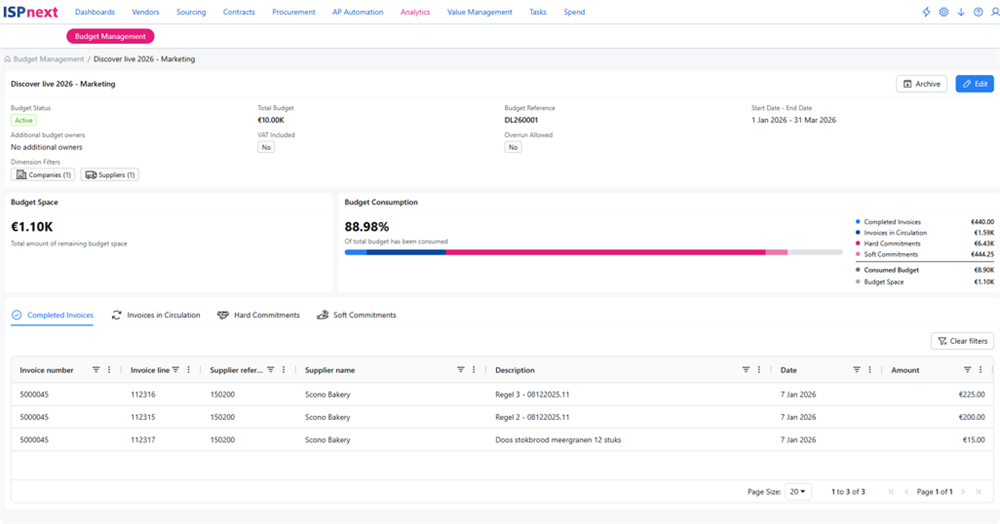
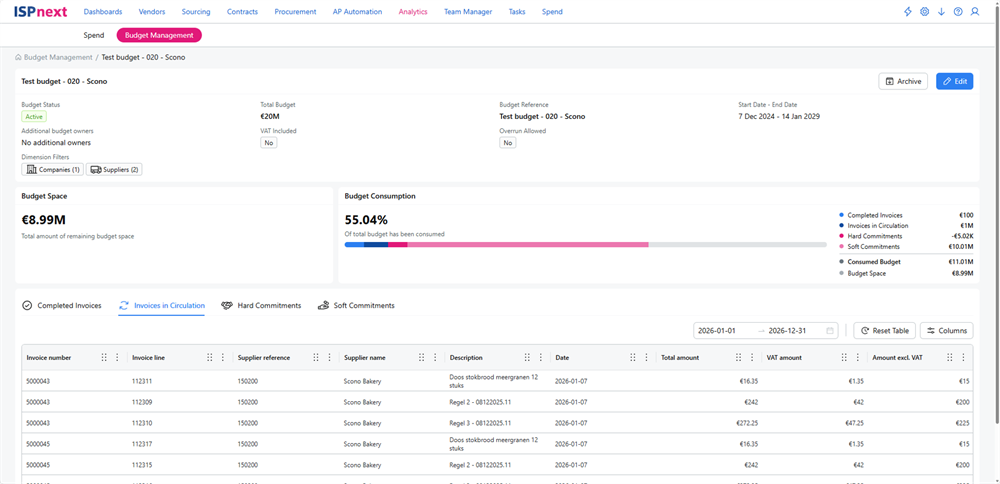
Finance and Procurement see the difference between budget and actual immediately, so deviations can be investigated quickly.
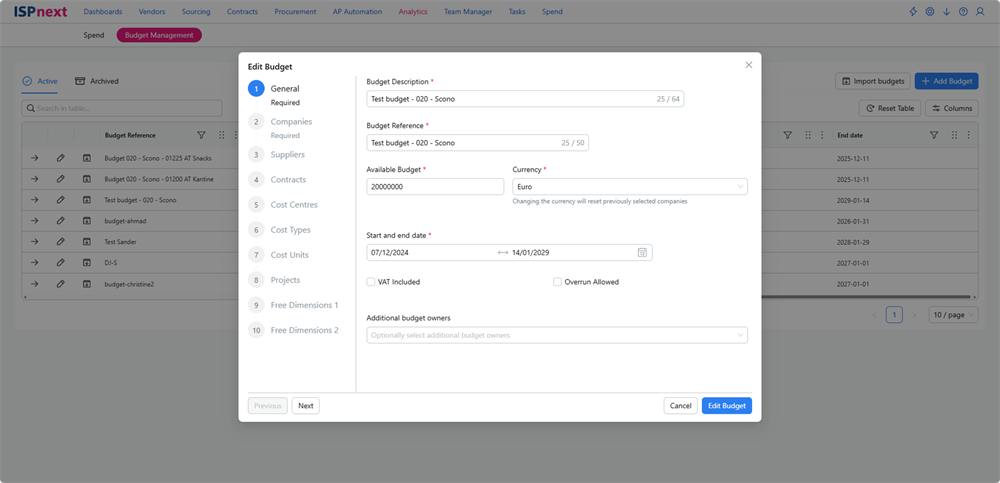
- All requests and approvals recorded
- Difference between budget and actual visible instantly
- Reports available immediately
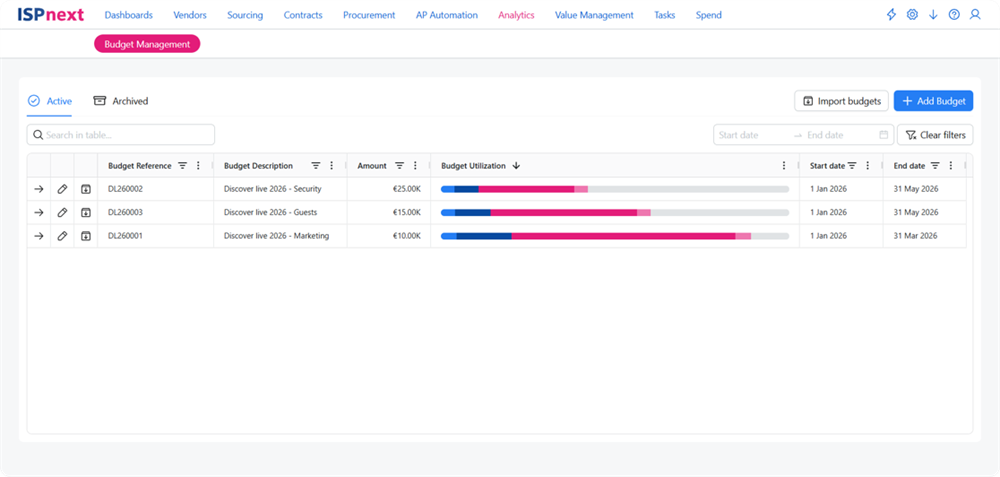
The benefits of Budget Management
ISPnext Budget Management gives finance and procurement teams the tools to keep real time control of budgets, before spend is approved.
Request a demoImmediate insight on every request
You see the difference between budget, actuals and open commitments in real time. That means better founded decisions and no unexpected spend.
Automatic block when the budget is exceeded
Overruns are intercepted straight away. The system pauses the request and routes it automatically to the budget holder or controller, with no manual checks.
Shared ownership of spend
Every user sees immediately how a request affects the budget. That creates accountability and encourages cost awareness across the organization.
The numbers behind sound budget management
What our experts say about Budget Management
More than 450 organizations rely on ISPnext to stay in control of their purchasing budgets.
View all customer cases“You only really feel ownership of a budget once you can see it at a glance.”

Prefer to learn more first?
The free whitepaper AP Automation in 5 steps shows how to move from manual invoice work to fully automated processing.
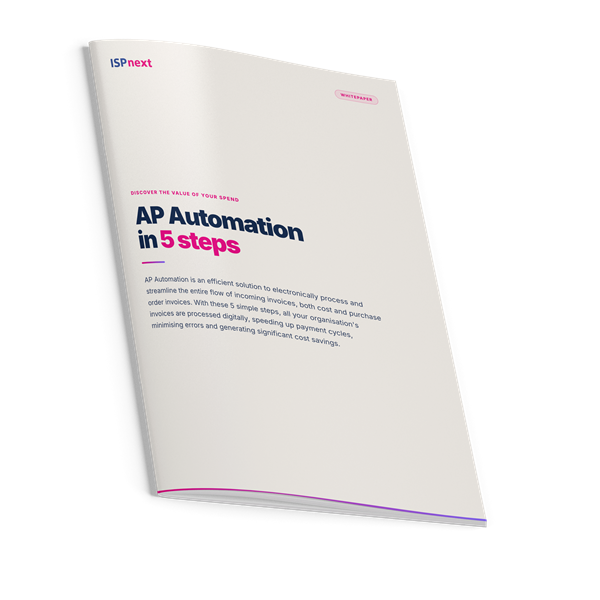
The solution Budget Management builds on
Budget Management builds on these core solutions.
Connect to your ERP for automatic budget control
Direct integration with ERP systems creates one uniform, up-to-date source for budgets, commitments and spend.
Frequently asked questions about Budget Management
Budget management is the process of planning, monitoring and controlling spend within limits set in advance. In procurement and finance it helps to safeguard financial frameworks, keep costs aligned with strategic goals and strengthen collaboration between departments.
Good spend control starts with insight at the right moment. By showing budget information as soon as a request is started, overruns are flagged early and automatically blocked or routed to a budget holder.
Budget versus actual compares the allocated budget against real spend. That comparison shows where deviations arise, so organizations can steer in time and meet their financial targets.
Procurement budget control works alongside your existing approval flows. If a request falls outside budget, an escalation to a budget holder or controller starts automatically. Control is preserved without extra delay.
Budget workflow software handles automatic flagging, checking and escalation on every request. It saves time, prevents errors and makes the entire approval process transparent and traceable.
Budget management is especially valuable for finance, procurement, project management and any department with its own budget responsibility. It creates awareness, ownership and better decisions at every level.
Yes. Thanks to the integration with the ISPnext platform, spend control works seamlessly within your existing ERP environment. Budget data is synchronized and processed automatically within your workflows.
Keep surprises out of your budgets
Join 450+ organizations that have transformed their budget management.